


King James Bible - KJV Offline
4.713.14K Reviews
App Specs
- Version
- 745
- Updated On
- License
- Free
- Downloads
- 10,000,000+
- Developer
- Bible and Games Media
- Categories
- Books & Reference
- Platform
- Android
Screenshots

 Analysis by AppCompare
I spent time with King James Bible - KJV Offline as a reading and reference tool, and its appeal became clear very quickly: it keeps the King James Bible at the center while adding practical tools for listening, looking up words, and keeping personal notes. It is a free app in the Books & Reference category, developed by Bible and Games Media, and it feels designed for people who want a familiar Bible text available during ordinary moments rather than only during a planned study session.
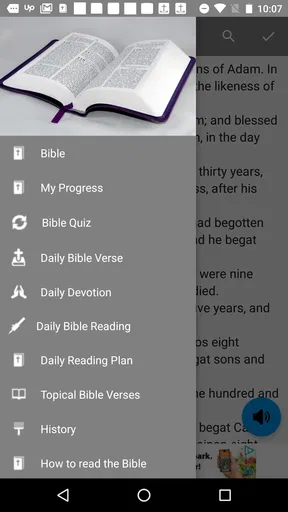
The important word in that description is “practical.” This is not an app that tries to turn Bible reading into a complicated research project. Its main strength is putting the KJV text, an audio option, a dictionary, and a notebook in one place. That combination makes it useful on a phone, especially when I want to read briefly, listen while doing something else, or save a thought before it disappears.
How connectivity changes the everyday reading experience
The app has a strong offline identity, but I would still think about connectivity in stages instead of assuming every part of the experience behaves exactly the same way without a network. The reading experience is the part that feels most naturally suited to quiet, disconnected use. Once the Bible content is available on the device, opening a passage does not need to feel like browsing a website, and that makes a noticeable difference when I am away from reliable service.
Network-dependent moments are more likely to appear around setup, updates, or anything that needs fresh store communication. I would install or update it while connected, then test the passages, audio, dictionary, and notebook before leaving home. That small check avoids an unpleasant surprise later, particularly if I am preparing for travel, a hospital visit, a retreat, or a place where reception is weak.
For me, the best way to approach this app is as a local reading companion rather than as a live online library. That distinction matters. A web-based Bible can be excellent when I want many translations, linked commentary, or constantly refreshed resources. This app is more focused. Its value comes from reducing the number of things I need to open, not from trying to replace every kind of Bible website or study platform.
The KJV itself also shapes the experience. Its language has a formal, older rhythm that many readers find meaningful, but it can slow down someone who is new to it. The built-in dictionary helps with that friction, although I see it as a quick aid rather than a complete explanation of historical language, theology, or context. When a phrase remains unclear, I would still reach for a trusted study Bible or reference work.
A useful tool for short, interrupted moments
I found the app most convincing in situations where attention is limited. Imagine sitting on a train with an unreliable signal and having ten minutes before arrival. I can open a passage, read without waiting for a page to load, mark a thought in the notebook, and close the app when the announcement comes. That workflow feels more realistic than promising myself a long study session that never happens.
Worth Reading Before You Choose

Flipboard Shows What News Apps Must Do Beyond the Feed

Switching to Android Auto Means Rethinking Your Driving Routine

Google Calendar Makes a Crowded Week Easier to Manage

Ludo King Makes the Most of the Minutes Between Plans

Baby Panda World Brings Quick Play to Modern Phones, but Its Game Library Feels Busy

ESPN’s Live Game View Makes Following Close Games Easier
The same applies to a morning routine. I can read a short section before checking messages, then use the notebook to record one sentence about what stood out. The notebook is especially useful here because it changes the app from a passive text viewer into a place where reading can lead to a personal record. I would keep entries brief and searchable in my own mind by topic or passage, rather than trying to recreate a full research journal inside a phone.
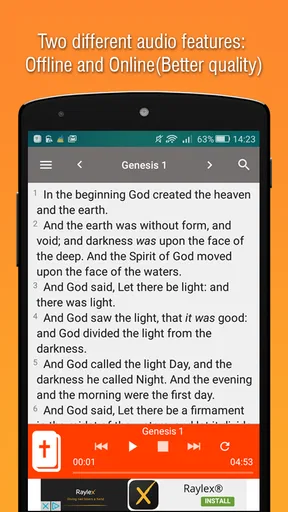
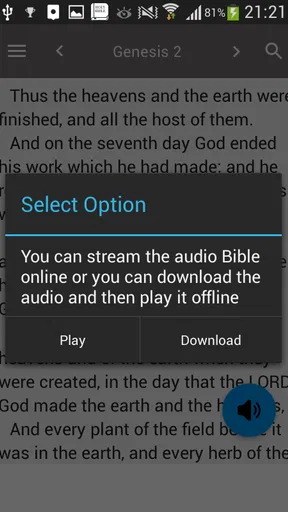
Audio gives the app another useful context. Listening can work when my eyes are occupied, such as during a quiet walk or while doing simple household tasks. I would not use it while driving, cycling in traffic, or doing anything that requires full attention, but for safe, low-risk activities it offers a different way to stay with the text. The trade-off is that audio is less flexible than silent reading when I need to jump between verses or compare wording carefully.
On a small phone, reading comfort will depend on personal tolerance. Long sessions can be easier on a tablet or a larger display, while the phone is better for quick access. I see this as a mobile-first companion for short passages, saved thoughts, and listening rather than the ideal screen for every extended study session.
What I do when service fails
One of the app’s practical strengths is that weak connectivity does not have to end a reading habit. If a page refuses to load in a browser, or if a general-purpose Bible service becomes inconvenient when reception drops, a dedicated app can feel calmer. I can open it, go to the text, and continue with fewer distractions. That reliability is valuable precisely because it is easy to overlook until I need it.
My recommended recovery routine is simple. Before going somewhere with uncertain service, I would open a few likely passages, try the audio, check the dictionary, and create a sample notebook entry. Then I would remove the sample if needed. This is not glamorous advice, but it is the kind of preparation that tells me whether the app is ready for the particular way I plan to use it.
If something does not behave as expected, I would first close and reopen the app, confirm that the phone has enough local space, and check for an available app update when I am back online. The current version is 745, and the minimum operating system is Android 7.0, so compatibility is broad for many older Android phones. Still, older hardware can make audio, navigation, or long reading sessions feel less smooth than they would on a newer device.
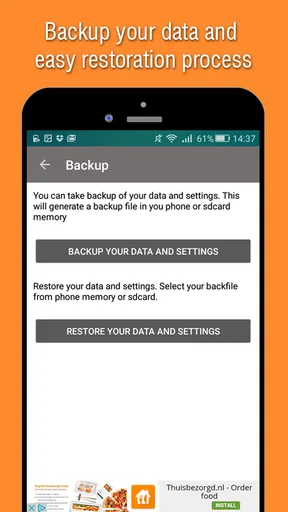
I also would not treat an offline reading app as a substitute for backup. Notebook thoughts can be personally important, so I would periodically copy especially valuable reflections somewhere else if they matter beyond the phone. That is a general digital habit, but it is particularly relevant when an app becomes part of a personal study routine. A note that exists only inside one device is convenient, not indestructible.
Using less data without making the app less useful
The app makes sense for data-conscious readers because its core purpose is reading a fixed body of text rather than constantly browsing a feed. I would do the initial setup on Wi-Fi, test the audio there, and avoid treating mobile data as the place for every download or update. This keeps the app aligned with its strongest use case: prepare once, then read when and where I need it.
Audio deserves special attention in a data-conscious routine. Listening may be the feature most likely to influence how much network activity or local storage I use, depending on how the app handles the audio on a particular device. I would therefore test it at home before relying on it during travel. If it is already ready for disconnected listening, that is convenient; if not, I would plan listening for a connected setting rather than assume.
There is also a privacy and distraction advantage to reducing network dependence, even without making claims about the app’s permissions or policies. A local reading session is less tempting than opening a browser and encountering unrelated tabs, notifications, or recommendations. I can focus on one passage instead of drifting into a broader online search. For devotional reading, that narrower environment is a genuine benefit.
At the same time, less connectivity means less immediate access to the wider ecosystem of resources. If I want multiple translations side by side, scholarly notes, original-language tools, or current articles, I would use a more expansive Bible study service. This app is better when the KJV is the text I have chosen and I want dependable access to it with a few supporting tools.
Reading, listening, looking up, and taking notes as one workflow
The four main tools work best when I use them in sequence rather than treating them as separate attractions. I might read a passage first, listen to it afterward to hear the cadence, look up an unfamiliar word, and then write one personal observation. That workflow is more useful than opening the dictionary randomly or playing audio without any intention.
A concrete example would be a reader working through a chapter each evening. I would read the section silently, pause at a phrase that feels difficult, use the dictionary for the specific word, and write a note that includes the passage reference and my own question. The next day, I could begin by revisiting the note instead of trying to remember where I stopped. This is a modest system, but it gives the app a repeatable role in a study habit.
Another non-obvious advantage is the separation between understanding and interpretation. The dictionary can help me get past a word-level obstacle, while the notebook gives me space to record my response without pretending that a quick definition settles the larger meaning. I appreciate that distinction. It encourages me to use the app for first-pass reading and personal reflection, then consult a stronger external reference when the subject deserves deeper investigation.
The audio option can also reveal a different reading pace. Formal KJV sentences may feel familiar on the page but sound more complex when heard. Listening helps me notice repeated phrases and the movement of a passage, while silent reading is better for stopping, comparing, and writing. Switching between the two is more valuable than choosing one permanently.
I would keep notebook entries structured. A useful format is passage, observation, question, and next step. For example, I might record the reference, summarize what caught my attention, write down the point I do not understand, and note whether I want to discuss it or consult another source. That approach turns the notebook into a lightweight study trail instead of a pile of disconnected thoughts.
Where it fits among other Bible apps
Compared with a browser-based Bible, this app feels less exposed to connection problems and online distraction. A browser usually wins when I need broad searching, many translations, or linked resources. The app wins when I already know I want the King James Bible and want a more contained reading experience.
Compared with a large study platform, it is more approachable but less comprehensive. A full study platform may offer stronger cross-references, commentaries, reading plans, language tools, and synchronization across devices. Those extras can be worthwhile for formal study, but they can also make a simple reading session feel like research. I prefer this app when the goal is to read, listen, check a word, and write a thought without building a project around it.
Compared with a paper Bible, the phone is more portable and gives me audio, dictionary support, and a notebook in the same place. Paper still has advantages for visual memory, long uninterrupted reading, and avoiding screen fatigue. I would not say one replaces the other. For travel and spontaneous moments, the app is easier; for a slow study session, paper may feel more grounded.
The developer, Bible and Games Media, has produced an app with a clear center of gravity rather than an overloaded collection of unrelated tools. That focus is a strength for KJV readers. It is also the reason I would not recommend it to someone who wants a modern translation, extensive academic apparatus, or a highly collaborative study environment.
Who should install it, and who should pass
I think it is a strong fit for someone who already prefers the King James Bible and wants it close at hand. It also suits readers who move between connected and disconnected places, people who enjoy listening as well as reading, and anyone who wants a simple notebook beside the text. The free price makes it easy to try, while optional in-app purchases range from $0.99 to $10.99 per item, so I would review any purchase prompt carefully and decide whether the basic experience already meets my needs.
The Everyone content rating makes the app approachable for a broad audience, including families who want a straightforward Bible reader. I would still guide younger readers through the older vocabulary rather than assume every passage will be immediately clear. The dictionary can help, but shared reading and conversation remain useful when the language becomes difficult.
I would skip it if my priority is comparing several Bible versions, following an elaborate reading plan, or accessing a deep library of scholarly material. I would also look elsewhere if I strongly dislike the KJV’s style. No amount of convenience changes the fact that the translation’s vocabulary and sentence structure will not suit every reader.
The app has built a sizable audience, with over ten million installs, an average rating of 4.7 from around 154 thousand ratings, and roughly 13 thousand written reviews. Those figures suggest that its focused approach resonates with many people, although popularity alone cannot tell me whether its style matches my own habits. I would judge it by the way I actually read: short sessions, offline access, audio, word lookup, and personal notes.
My connectivity verdict
After using it as a daily reading companion, I see King James Bible - KJV Offline as a focused tool for dependable access to one classic translation. Its best moments come when I prepare while connected and then use it in places where the network is weak, expensive, distracting, or simply unavailable. The combination of text, audio, dictionary, and notebook gives a small phone more usefulness than a bare digital Bible.
My main caution is to test the exact features I plan to use before depending on them away from service. Reading is the natural center of the app, while audio, updates, and setup deserve a quick connected check. I would also remember that a dictionary is not a full commentary and that a notebook inside an app is not the same as a backed-up archive.
Overall, I would recommend it to a KJV reader who values simplicity and mobility more than a large research toolkit. It is free to start, works with older Android versions from 7.0 upward, and has enough supporting features to make regular reading easier without turning every session into a complicated study exercise. The best reason to choose it is not the number of tools, but the way those tools keep a familiar Bible close when the internet is not.
Pros
- Works fully offline
- making Bible reading possible without mobile data.
- Includes the complete King James Version in one convenient app.
- Simple navigation helps users quickly find books
- chapters
- and verses.
- Useful for travel
- commuting
- or areas with limited internet access.
- Free access makes it suitable for regular personal Bible study.]
- contras:[
- KJV language can feel difficult for readers unfamiliar with older English.
- Limited modern study tools may not satisfy users seeking detailed commentary.
- Offline content may take up noticeable storage space on some devices.
- Ads or in-app promotions may interrupt the reading experience.
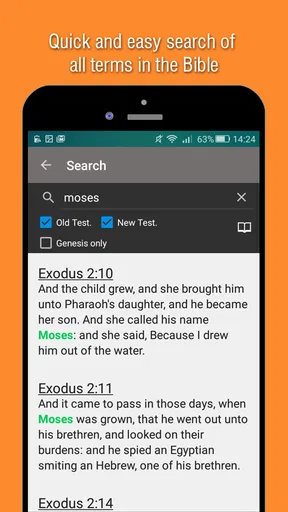
- Search results can be less convenient than those in newer Bible apps.
Cons
- KJV language can feel difficult for readers unfamiliar with older English.
- Limited modern study tools may not satisfy users seeking detailed commentary.
- Offline content may take up noticeable storage space on some devices.
- Ads or in-app promotions may interrupt the reading experience.
- Search results can be less convenient than those in newer Bible apps.
FAQs for King James Bible - KJV Offline
What is King James Bible - KJV Offline?
King James Bible - KJV Offline is a mobile Bible app that provides access to the complete King James Version without requiring a continuous internet connection. After the Bible content is downloaded, you can read chapters and verses while traveling, commuting, or in places with limited coverage. It is designed for personal reading, study, reflection, and quick access to familiar Scripture passages.
Can I use King James Bible - KJV Offline without an internet connection?
Yes, offline reading is the main advantage of the application. Once the necessary Bible files or content have been installed on your device, you can open and read the King James Version without Wi-Fi or mobile data. Internet access may still be needed for the initial download, updates, advertisements, synchronization, or any optional online features included by the specific app version.
Does the app include the complete King James Version Bible?
The app is intended to provide the full King James Version, including both the Old and New Testaments. You can browse individual books, chapters, and verses rather than relying only on a search function. Before downloading, it is still worth checking the store description and screenshots, because layouts, included study tools, and the exact edition or wording may vary between different applications using the KJV name.
What reading and study features are available?
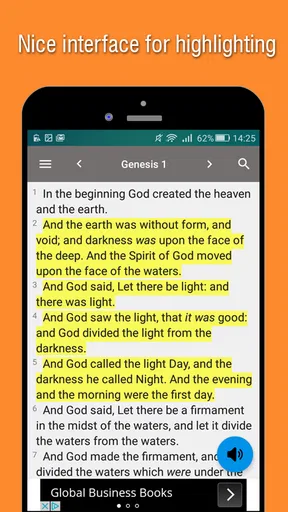
King James Bible - KJV Offline generally focuses on straightforward Scripture reading, with navigation by book and chapter and, depending on the version, tools such as verse search, bookmarks, highlights, notes, reading history, or adjustable text settings. These features can make daily reading more convenient, although the exact selection may differ. Users seeking commentaries, cross-references, audio narration, or advanced study resources should verify whether those tools are included.
Is King James Bible - KJV Offline free to download and use?
Many KJV offline Bible apps can be downloaded free of charge, but the overall experience may include advertisements, optional purchases, or premium features. Offline access itself may be available after the initial installation, while extra tools or an ad-free version could require payment. Check the Google Play Store or Apple App Store listing for current pricing, supported devices, permissions, privacy details, and any subscription terms before installing.


